Voice translation
Speak, transcribe, and translate with a continuous flow built for fast interactions.
KMSystems • Local AI translation
OmniTranslator brings together Voice, Text, and Conversation in one Android app for travel, work, study, and face-to-face communication. After initial setup and compatible model download, many translations can run on your device with more privacy and control.
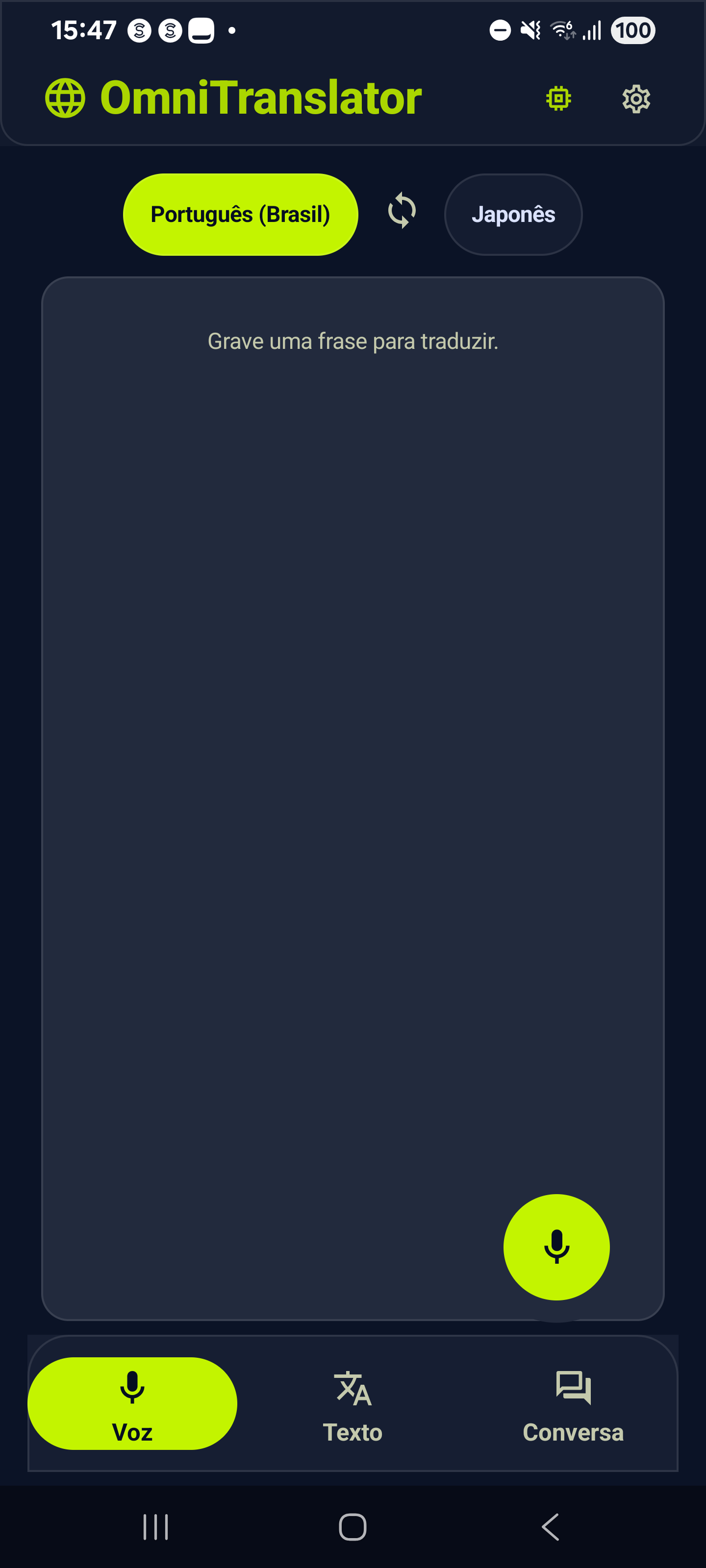
Install OmniTranslator on Android and start with voice, text, and conversation in a single app. After downloading a compatible model, many translations can run locally on your device.
More privacy for translation content, without depending on sending text to external servers for every translation request.
Premium subscription, billing, renewals, and cancellation are managed through Google Play.
Open on Google PlayVoice, text, and conversation workflows focused on mobility, privacy, and practical use in travel, work, study, and in-person conversations.
Speak, transcribe, and translate with a continuous flow built for fast interactions.
Type short or long text and keep an organized history for quick reference.
Dedicated Person A and Person B panels help with face-to-face communication.
After compatible model download, many translations can run directly on the device.
More privacy and more predictable behavior in limited-connectivity scenarios.
Billing, renewals, and cancellation are handled through Google Play.
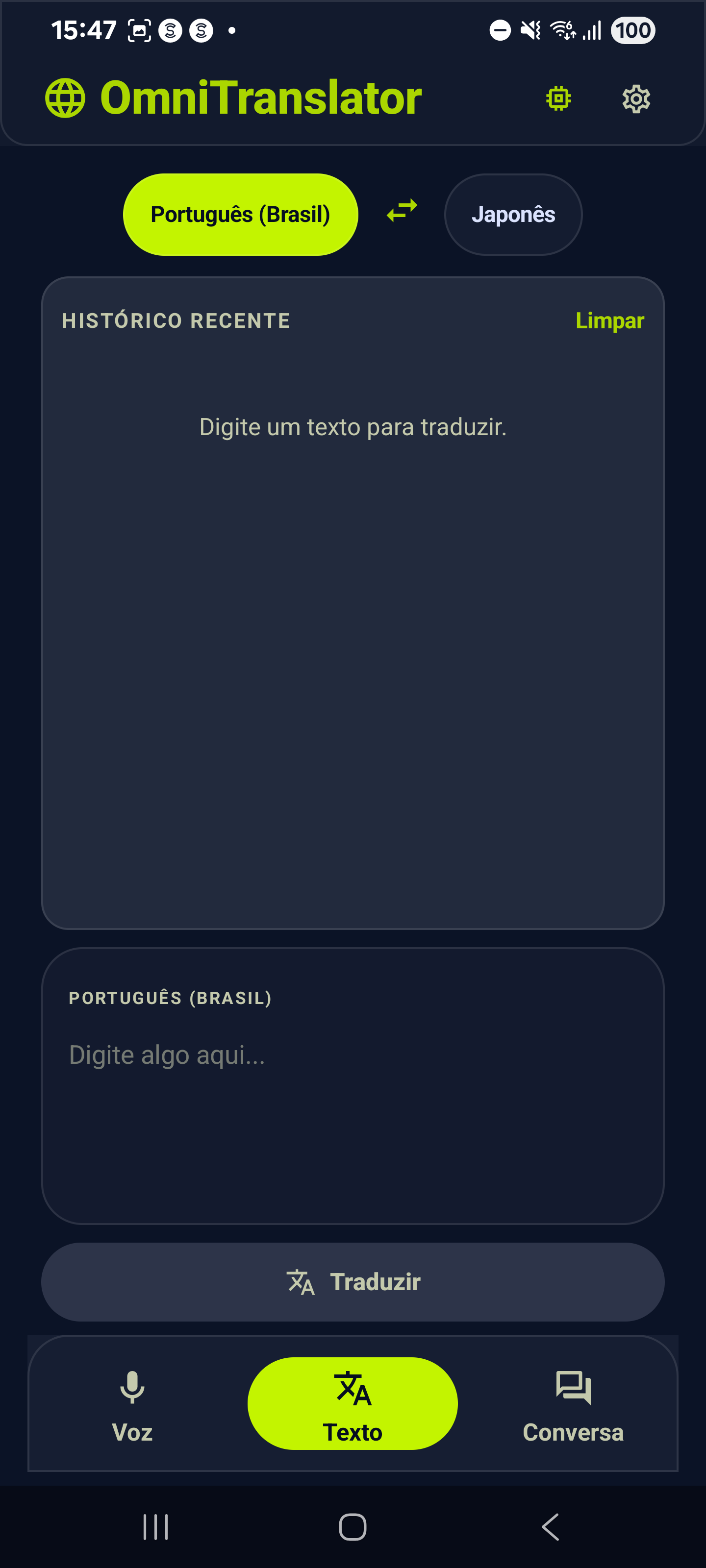
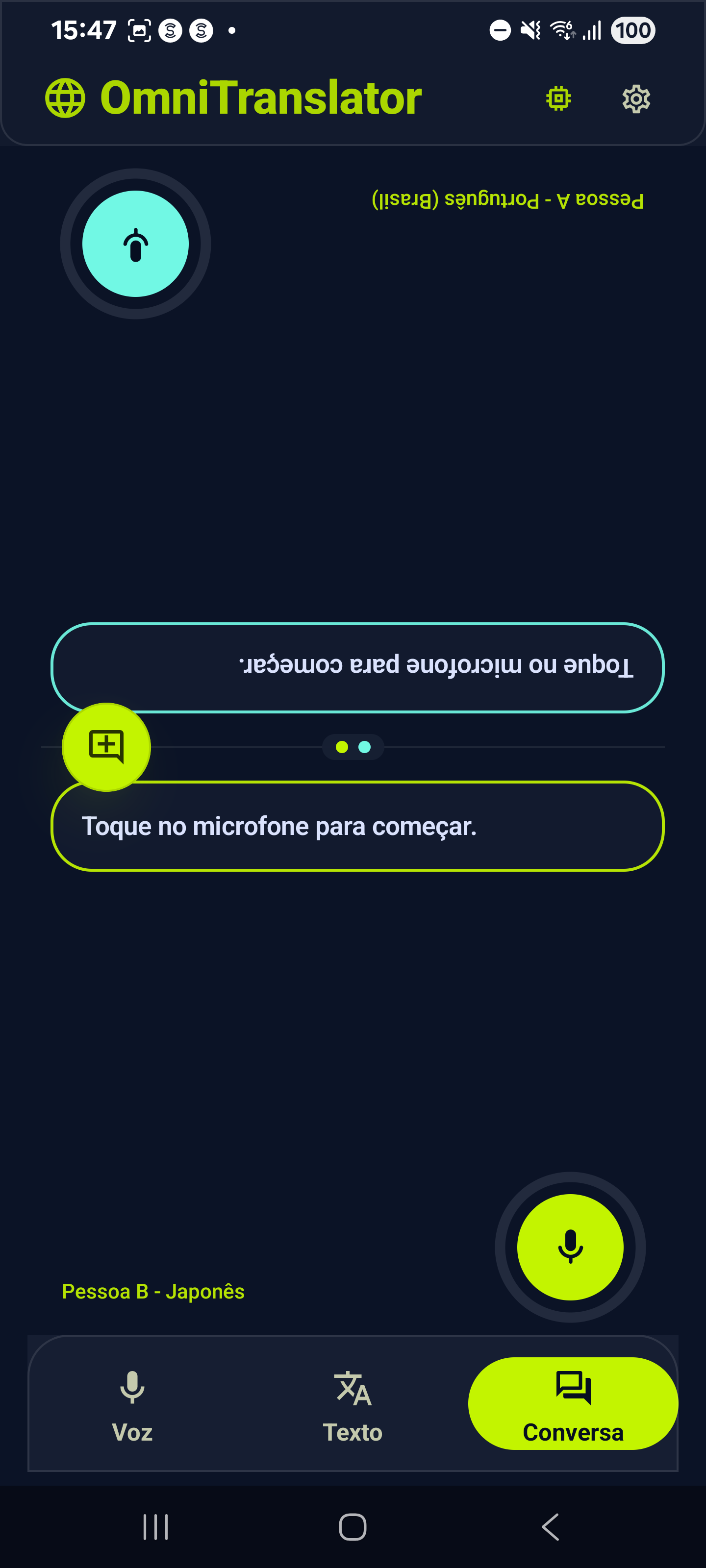
Available now on Google Play for Android. After initial setup and compatible model download, many translations can run locally on your device.
Open on Google PlayAn iPhone/iOS version is planned, with no public release date yet.
Note: AI-generated translations may contain inaccuracies. Not every feature is available offline in every scenario; model downloads, subscriptions, and platform services may require a connection.